
Dưới đây là bản EN cho trang /bao-cao-nhanh, giữ cùng bố cục, giọng văn và định dạng nhẹ như bản VI. Bạn có thể dùng cho trang tiếng Anh kiểu Quick Report.
```markdown
# Quick Report
Use this page when you find an issue with an item listed on ZoLink and want to send a quick report so we can review it sooner. Quick Report is suitable for cases such as broken links, incorrect information, wrong category, potentially risky content, or requests to edit, hide, or remove an item from the directory.
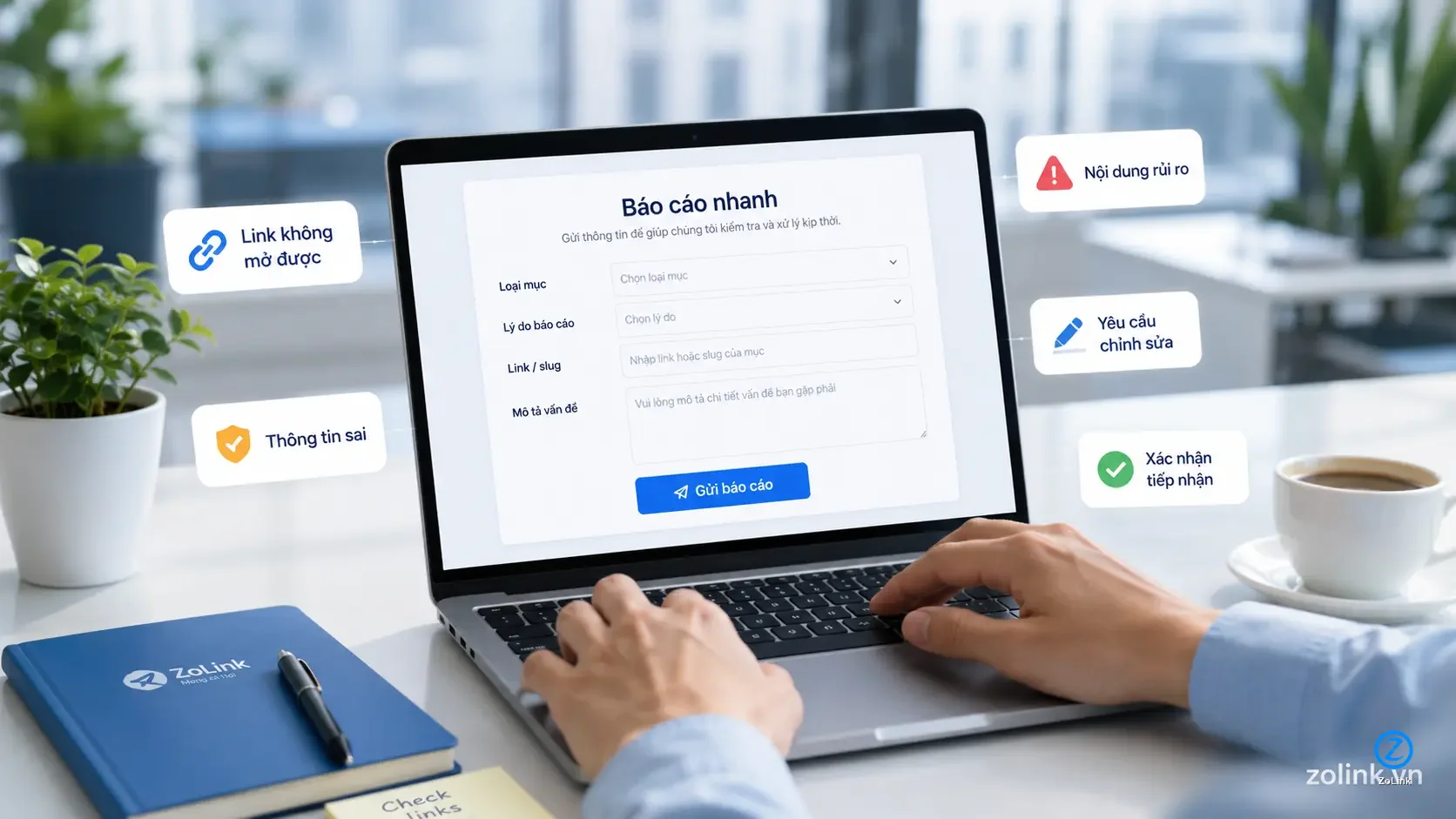
ZoLink is an independent directory that collects and organizes publicly shared or community-submitted content, including Zalo groups, OA channels, and Mini Apps. User reports help us keep the directory clearer, safer, and more useful over time.
> Quick Report does not require an account. You only need to provide enough information for us to identify the item that needs review.
## When should you use Quick Report?
You should use this page when the issue is related to an item currently displayed on ZoLink and needs to be reviewed by our operation team.
Common cases include:
- The link does not open, is broken, or leads to the wrong destination
- The displayed name of a Zalo group, OA channel, or Mini App is incorrect
- The description is outdated, unclear, or misleading
- The item is listed under the wrong category, type, or placement
- The item appears to be duplicated in the directory
- The content shows signs of impersonation, scam, spam, or unsafe behavior
- You are a related party and want to request an edit or removal
- The item is no longer suitable for public listing
Tip: If you are viewing the exact detail page of a group, OA channel, or Mini App, use the report button on that page. This helps ZoLink identify the item faster and more accurately.
## What information should a report include?
To help us review your report more quickly, please provide clear and relevant details whenever possible.
Useful information includes:
- The item type: Zalo Group, OA Channel, or Mini App
- The item name, slug, or related URL
- The reason for your report
- The incorrect part, if any
- The correct information or suggested update
- A short description of the issue
- Screenshots, supporting documents, or reference information if needed
Note: You are not required to provide your name. However, if the issue requires additional verification or you want us to contact you, you may include your email, Zalo contact, or another suitable contact method in the description.
## Types of reports ZoLink commonly receives
### 1. Broken or outdated links
Use this option when the access button does not work, the link has expired, the destination has changed, or the destination content no longer matches the listing on ZoLink.
Examples:
- A group link cannot be opened
- The link redirects to unrelated content
- An OA channel or Mini App is no longer accessible
- An old link has been replaced by a new one
### 2. Incorrect information or edit requests
Use this option when the name, description, category, or displayed information of an item is inaccurate.
Examples:
- The group name is misspelled
- The description no longer matches the current content
- The item is placed in the wrong category
- The displayed information is outdated or misleading
### 3. Removal or temporary hiding requests
Use this option when you have a reasonable basis to believe that an item should no longer be publicly displayed in the directory.
Common reasons include:
- The content is no longer active
- The owner or a related party requests removal
- There are signs of impersonation or inappropriate use of information
- The listing may clearly mislead users
- The content may affect the rights or interests of an individual or organization
Warning: Submitting a removal request does not mean the item will be removed immediately. ZoLink will review the request based on the information provided, the ability to verify it, and the appropriate scope of responsibility for an independent directory.
### 4. Risky or unsafe content reports
Use this option when you notice signs that an item may be unsafe or requires closer review.
Examples:
- Possible scam behavior
- Impersonation of a brand, organization, or individual
- Multiple reports about the same item in a short period
- Content that may harm users
- Content that may violate laws or the legitimate rights of another party
Note: For serious issues such as copyright, impersonation, legal claims, or disputes involving personal or organizational rights, please provide clear details so ZoLink has enough basis for proper review.
## How does ZoLink handle reports?
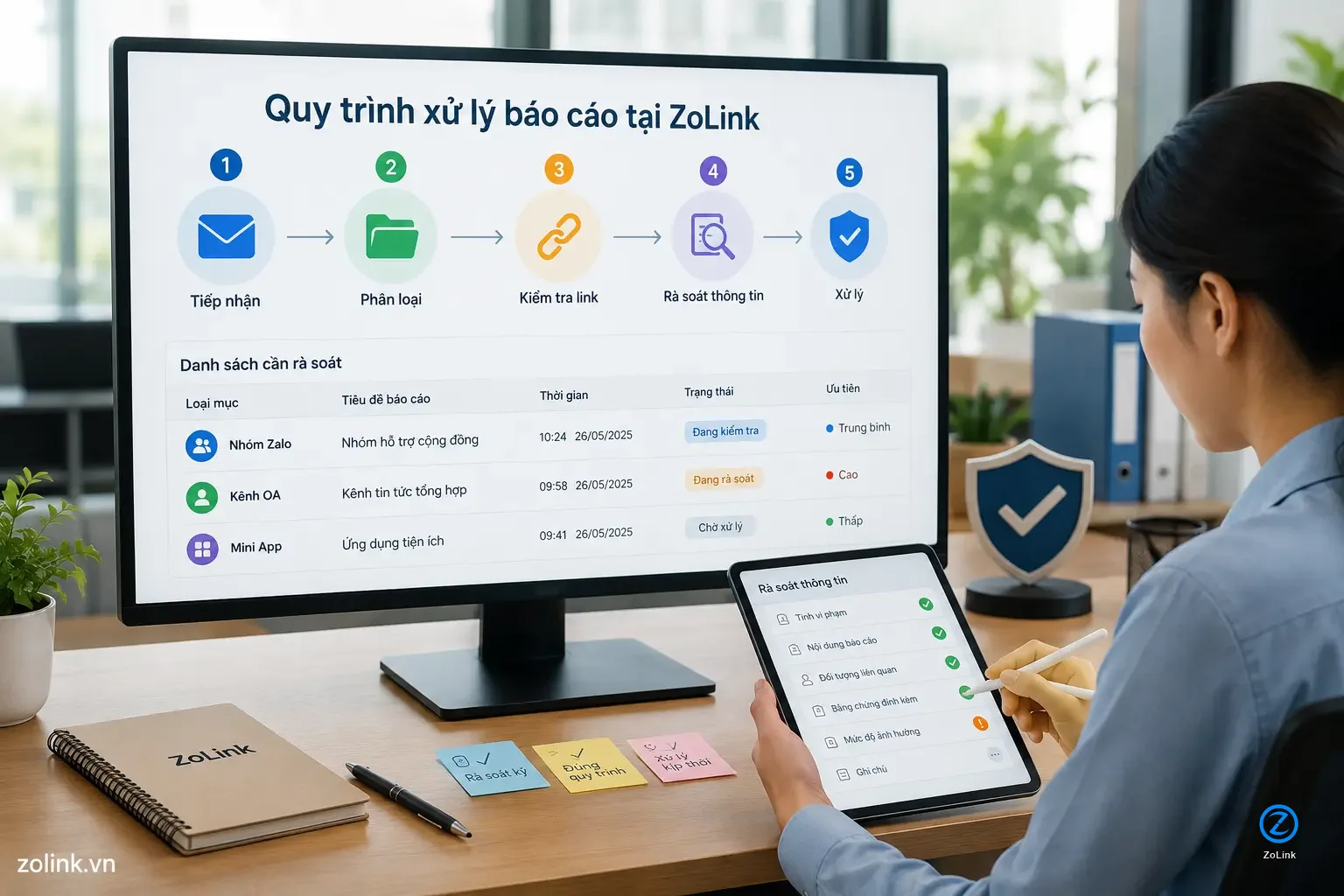
After receiving a report, ZoLink may process it through the following steps:
1. Receive the report
The system records the information you submit through the form or the direct reporting tool on the website.
2. Identify the related item
ZoLink checks the name, slug, link, or description you provide to identify the correct Zalo group, OA channel, or Mini App.
3. Classify the issue
Reports may be classified as broken link, incorrect information, edit request, removal request, risky content, or legal-related issue.
4. Review the information
We review the displayed content, compare it with relevant information, and evaluate whether the report is reasonable.
5. Take appropriate action
Depending on the case, the item may remain unchanged, be edited, updated, temporarily hidden for further review, or removed from the directory.
Tip: The clearer your report is, especially when it includes a specific link and a short description, the faster we can identify the issue.
## When should you use another page instead?
Quick Report is intended for feedback about content currently displayed on ZoLink. If your request belongs to another category, use the more suitable flow:
- If you want to submit a new Zalo group, OA channel, or Mini App, use Submit Link
- If you want to contact us, give general feedback, or discuss cooperation, use the Contact page
- If the issue involves copyright, trademark, impersonation, personal rights, or legal claims, see Legal & Complaints
- If you want to understand how content is accepted, edited, hidden, or removed, see Content Policy
## Report handling time
ZoLink tries to monitor reports regularly, but the processing time may vary depending on the clarity of the information and the volume of requests we are receiving.
In general:
- Simple broken link or incorrect information reports may be checked during routine data review
- Edit or removal requests may require more time for verification
- Risky content, impersonation, copyright, or legal-related issues may need closer review
- Reports with insufficient information may take longer or may not provide enough basis for action
Note: ZoLink does not guarantee that every report will be handled immediately or that every request will be approved. Each case is reviewed based on its specific nature, the information provided, and the operational scope of the directory.
## Do you need to provide personal information?
No. Personal information is not required.
You can submit a short report if you only want to notify us about a simple issue such as a broken link, wrong category, or incorrect information.
However, contact information can be helpful in some cases, especially when:
- You request a specific content edit
- You request removal of an item from the directory
- You are the owner or a related party
- The issue requires additional evidence or reference material
- You want ZoLink to respond after reviewing the case
## Before submitting a report
You may quickly check the following:
- Have you selected the correct item type?
- Have you provided the correct name, slug, or related link?
- Is the report reason clear?
- If you request an edit, have you included the correct replacement information?
- If you request removal, have you explained the reason or basis clearly?
Tip: Your report does not need to be long. A short but clear report is often more useful than a long message without a link or enough context.
## Important notice
ZoLink is an information directory that collects and edits publicly available or community-submitted listings. ZoLink does not own, manage, or represent the Zalo groups, OA channels, Mini Apps, or third-party services listed in the directory.
We may support reviewing, updating, editing, temporarily hiding, or removing displayed content when appropriate. However, ZoLink does not control the internal activity, conversations, transactions, or operations inside any listed Zalo group, OA channel, Mini App, or third-party website.
Warning: Please do not misuse the reporting function to spam, disrupt the system, or submit false information. Clear, good-faith, and well-founded reports help improve the directory for the community.
## Start your report
If you already have information to report, fill out the quick report form on this page.
Select the item type, choose the reason, enter the related name or link, and briefly describe the issue. ZoLink will record the report for review during our operation and directory update process.