Why many admins hesitate between QR codes and Zalo group links
When inviting new members to a Zalo group, admins usually have a few common options: sending the direct group link, sharing a Zalo group QR code, or using a shortened link so the URL is easier to remember. All three methods can lead users to the group, but the experience is different. Someone reading a message will usually prefer tapping a link. Someone standing in front of a poster or presentation slide will find it easier to scan a QR code. Someone who needs to remember or forward the address may benefit from a short link.
The real question is not whether a QR code or a group link is always better. The better question is who you are inviting, where they are, and which channel you are using. A class group may need a QR code on a screen so students can scan quickly. A job group may need a clickable link inside a post. A local community group may need a shortened link for flyers or cross-platform sharing. Understanding each method helps admins invite members more smoothly and reduces confusion for new joiners.
- QR codes, group links, and shortened links can all be used to invite members to a Zalo group.
- The right method depends on the sharing context: online, offline, messages, posters, articles, or community directories.
What a Zalo group QR code is and what it is used for
A Zalo group QR code is an image-based code that users can scan with a phone to open the group invitation. Instead of typing or tapping a URL, the recipient opens a camera or a suitable QR scanning feature and points the phone at the code. This is especially convenient when inviting many people in offline spaces such as classrooms, workshops, stores, events, offices, cafés, or residential communities.
The biggest advantage of a QR code is speed in face-to-face situations. A teacher can show the code on a classroom screen so students can join the class group. A shop owner can print the code at the cashier counter so customers can join a promotions group. An apartment management board can place the code on a notice board so residents can join an update group. However, a QR code is not always convenient when the recipient is already reading on their phone, because tapping a link is usually faster than scanning a code from the same device.
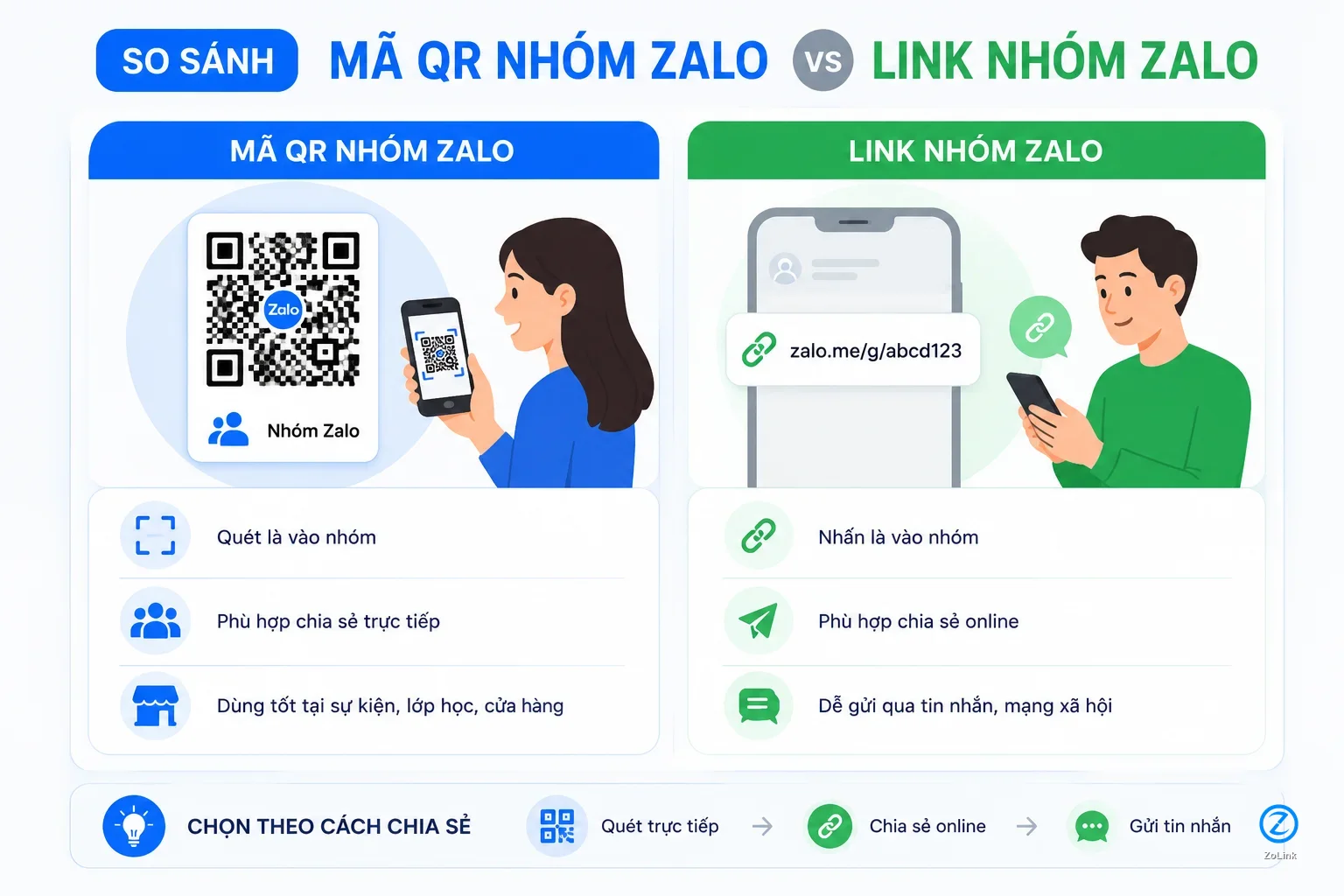
- A QR code is suitable for offline settings or when people can scan it directly from a poster, screen, or printed material.
- A QR code is less convenient when the recipient is already viewing a chat, article, or online content on their phone.
What a Zalo group link is and when to use it
A Zalo group link is an invite URL that leads people to join a group. The recipient only needs to tap the link to open the group and follow the join step if the link is still valid. This is the most suitable method for messages, email, social posts, blog articles, online community content, or group directories. Users do not need to scan anything, use a second device, or manually type the address.
If you are sending the group to individual people, placing it in an introduction post, adding it to a video description, or listing it in a topic-based directory, a group link is usually clearer than a QR code. For example, when users are browsing a list of Zalo groups, they expect to read the description and then tap a link to open the group. In online contexts, a clickable link makes the join action more direct and seamless.
- A Zalo group link works best in messages, articles, emails, online directories, and content where users can tap directly.
- When recipients are already using a phone, tapping a link is usually faster than trying to scan a QR code.
How a Zalo group QR code differs from a Zalo group link
The main difference is the user action. A QR code requires the recipient to scan an image, while a group link requires the recipient to tap a URL. If the recipient sees the invitation on paper, a notice board, a large screen, or a poster, a QR code is often more convenient. If the recipient is reading on a phone or computer, a group link is usually easier because it only takes one tap.
The second difference is how easily each method can be reshared. A group link can be copied, sent across platforms, and placed in articles more easily. A QR code is better for printing or presentation, but if the recipient wants to forward it to someone else, they usually need to send the QR image or share the original link. That is why many admins use all three methods together: QR codes for offline use, group links for online sharing, and shortened links for places where the URL needs to be easy to remember.
- A QR code is optimized for scanning, while a group link is optimized for tapping.
- Group links are easier to copy and reshare, while QR codes are better for printed materials and presentations.
When you should use a Zalo group QR code
You should use a Zalo group QR code when the recipient is near something they can scan. Examples include a QR code on a class slide, a club recruitment poster, an apartment notice board, an event flyer, a shop menu, a cashier standee, or printed handouts. In these situations, asking users to type a link is inconvenient, while scanning a code feels faster and more natural.
QR codes are also useful when you want to invite many people at the same time in a physical space. Instead of reading out a long link or sending the link to each person individually, you can display the QR code and let whoever needs it scan it. Still, when using a QR code, add a short description next to it so people know who the group is for. If there is only a code without context, users may hesitate because they do not know what group they are about to join.
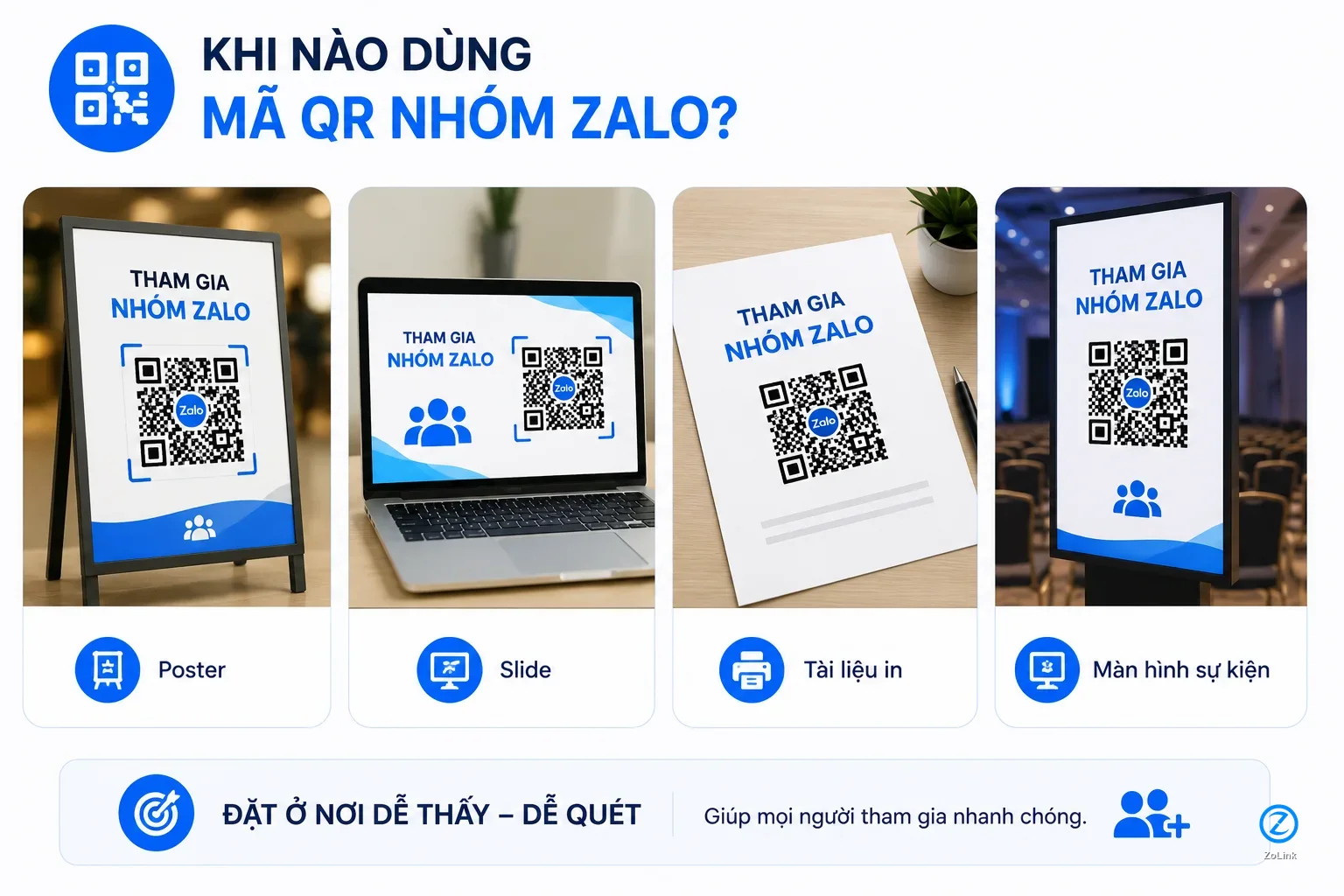
- Use QR codes on posters, slides, notice boards, printed materials, standees, store counters, or offline events.
- Always place a short description near the QR code so people understand the group before scanning.
When you should use a Zalo group link
You should use a Zalo group link when the sharing channel is online. Personal messages, other chat groups, email, Facebook posts, blogs, video descriptions, community landing pages, and directories are all suitable for links. People reading online content usually want to tap immediately instead of saving a QR image and figuring out how to scan it. A direct link reduces steps and increases the chance that people join at the right moment.
A group link is also useful when you need to explain the group before inviting someone to join. You can write a description, clarify the right audience, add a short rule note, and place the link after that. This is better than sending a QR code alone in a message because recipients do not have to guess what the group is about. If the group is open to many people, make sure the description is clear enough to reduce wrong-fit joiners.
- Use a group link when sharing through messages, posts, email, blogs, video descriptions, or online directories.
- The link should come with a clear description so recipients know whether the group is relevant to them.
When you should use a shortened Zalo group link
A shortened Zalo group link is useful when the original link is too long, hard to remember, or looks messy in documents. A short, readable, topic-relevant URL is more suitable for posters, spoken instructions, bio links, articles, or cross-platform sharing. A shortened link can also help recipients understand the group better if the slug is clear, such as one based on the topic, area, or target audience.
However, a shortened link should not be used only to hide the original URL. A good short link still needs clear context: who the group is for, what the main content is, and what people should know before joining. If you want to submit a group to a directory or share it in a cleaner way, you can use Submit link to send a suitable link into the system. For groups that need to be found by the right people, the link name and the description are just as important as the link itself.
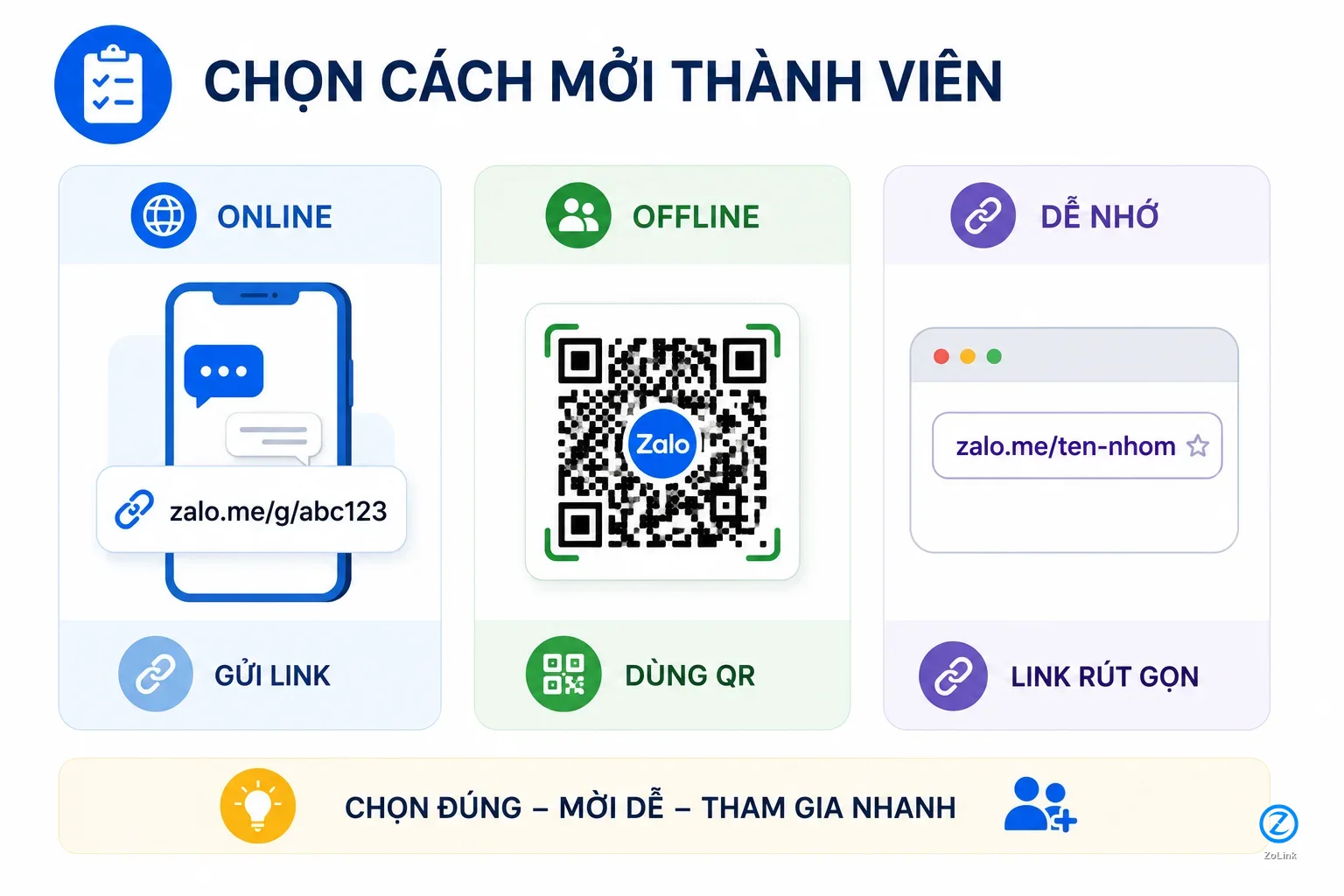
- Use a shortened link when you need a URL that is short, readable, memorable, or easy to place across channels.
- A shortened link should have a meaningful slug and a clear description so users do not hesitate before clicking.
Which option to use in different situations
If you are sending through chat, prioritize the group link or shortened link. If you are printing on a poster, standee, document, or showing on a screen, prioritize a QR code with a short description. If you are posting in an article, directory, or introduction page, use a clickable link because the reader is already in an online environment. If you need people to remember or retype the address, a shortened link has an advantage over a long original URL.
For classes or events, the best option is often to combine a QR code and a short link. People in the room can scan the code, while people who review the materials later can still type or tap the link. For community groups that want long-term member growth, a shortened link and a clear description are more useful than a QR code alone. For private or internal groups, consider sending a controlled private link instead of publishing both the QR code and the link widely.
- Use links for online sharing, QR codes for offline scanning, and shortened links when the address needs to be memorable.
- For events or classes, combining a QR code with a short link can support different joining behaviors.
Conclusion on the best way to invite members to a Zalo group
Zalo group QR codes, Zalo group links, and shortened links do not exclude one another. QR codes are best for direct scanning contexts such as posters, slides, notice boards, and events. Group links are best for messages, articles, emails, and online directories. Shortened links are best when you need a URL that is brief, memorable, and easy to place in different types of content.
A quick way to choose is to look at the recipient's behavior. If they are standing in front of a poster, let them scan a QR code. If they are reading a message or article, give them a link to tap. If they need to remember, forward, or type the address manually, use a shortened link. Whichever method you choose, always include a clear description so the right people understand why they should join the group.
- There is no single best method for every situation; choose based on the sharing channel and recipient behavior.
- A clear description remains essential so users understand the group before joining.